tldr
ipad could be used as a computer replacement if you have another device that you can ssh into for code heavy tasks. ipad os has its quirks but you can still use it as a lightweight ssh client.
1.1 overview
like the title suggests i’m daily driving an ipad to do all of my work. i acquired this ipad through a series of csgo like trade ups. i traded up from a 2018 ipad with the a12x bionic chip to a used m5 unit with a like new apple keyboard case. all in, i spent 800 bucks on a +$1800 setup.
the things i need in a “computer”:
(1) internet browser - manage deployments / check 3rd party tools.
(2) ai (app or webpage) - learn new concepts / create boilerplate
(3) code editor - git / code changes / deploy local apps
(4) communication app - to ask for help / talk to clients
if i have my essentials i’m usually a pretty happy camper. in most cases, even a phone could cover the basics but the coding environment. that’s where we arrive at the huge caveat i have to disclose. i use this ipad as a lightweight ssh editor client. i use an m4 mac mini located at my desk. the secondary device could be replaced with a lightweight alternative—just requires ssh connectivity.
1.2 dev setup
notion calendar
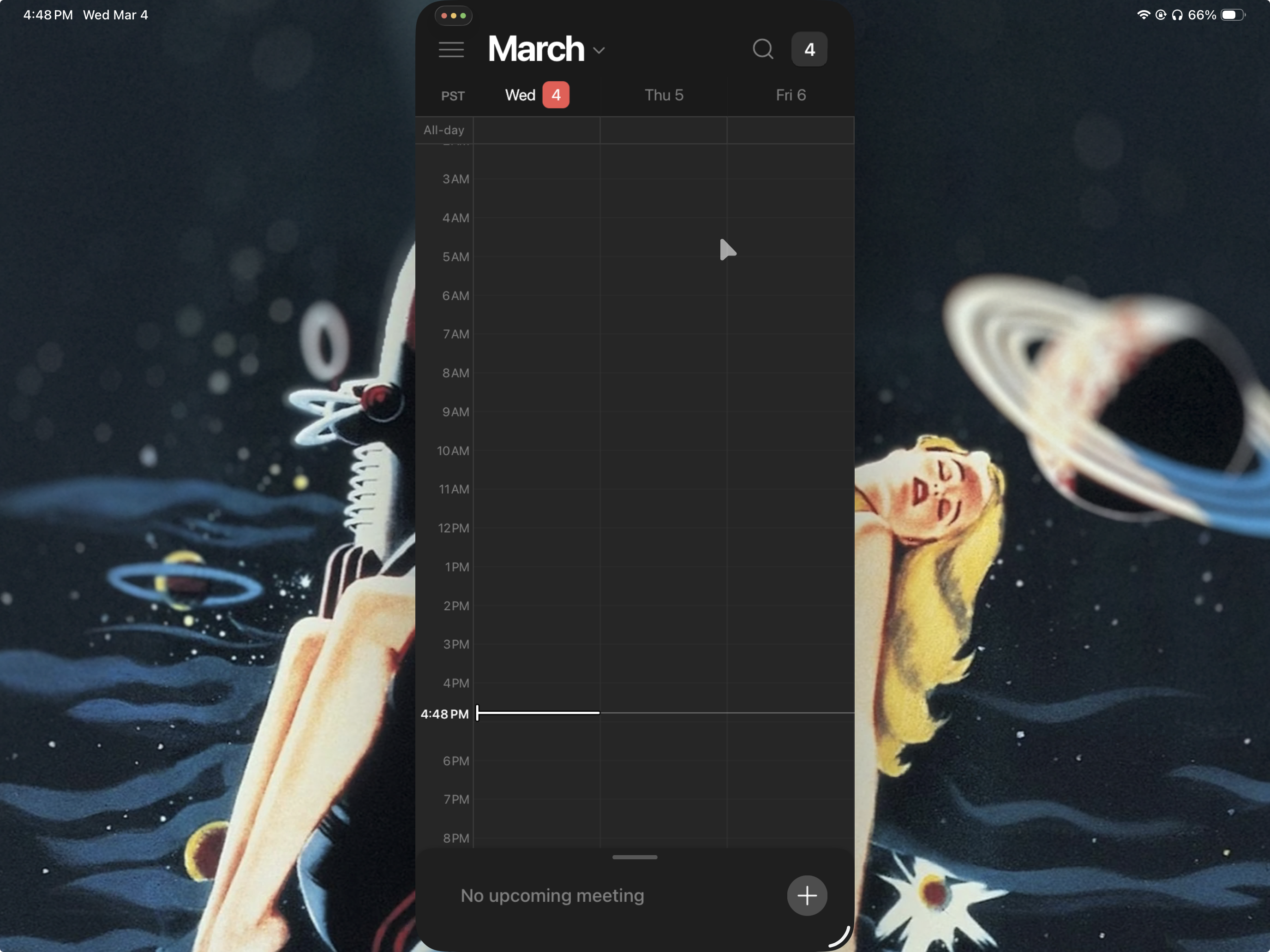
most apps, they work as intended, but some apps have scaling issues or lack of keyboard shortcut support. for many of these apps, the browser version can get the job done. it’s not all bad, since i’m on an ipad i can store media onto my device
editor demo
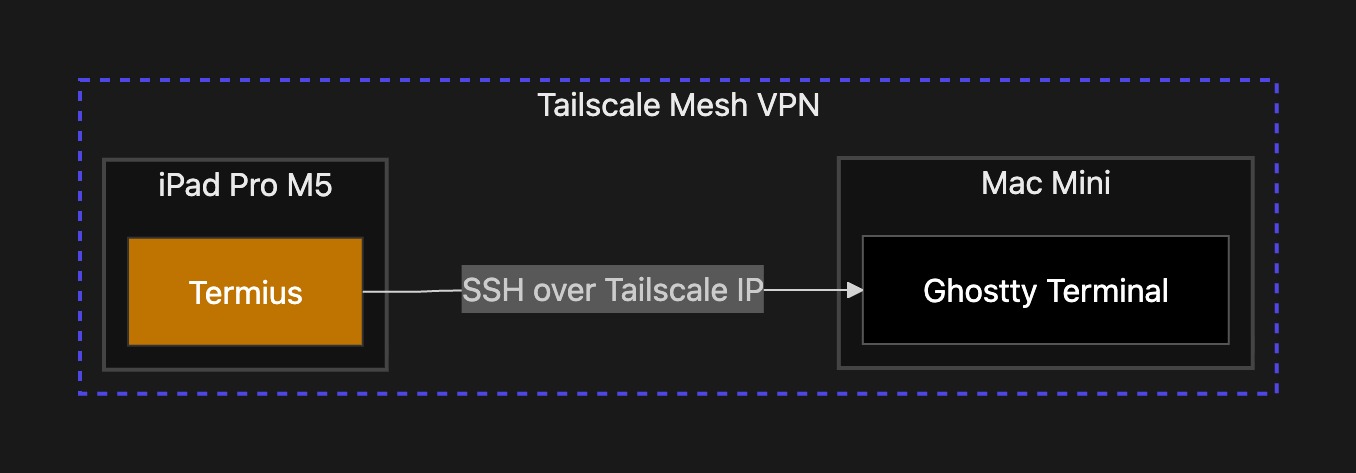
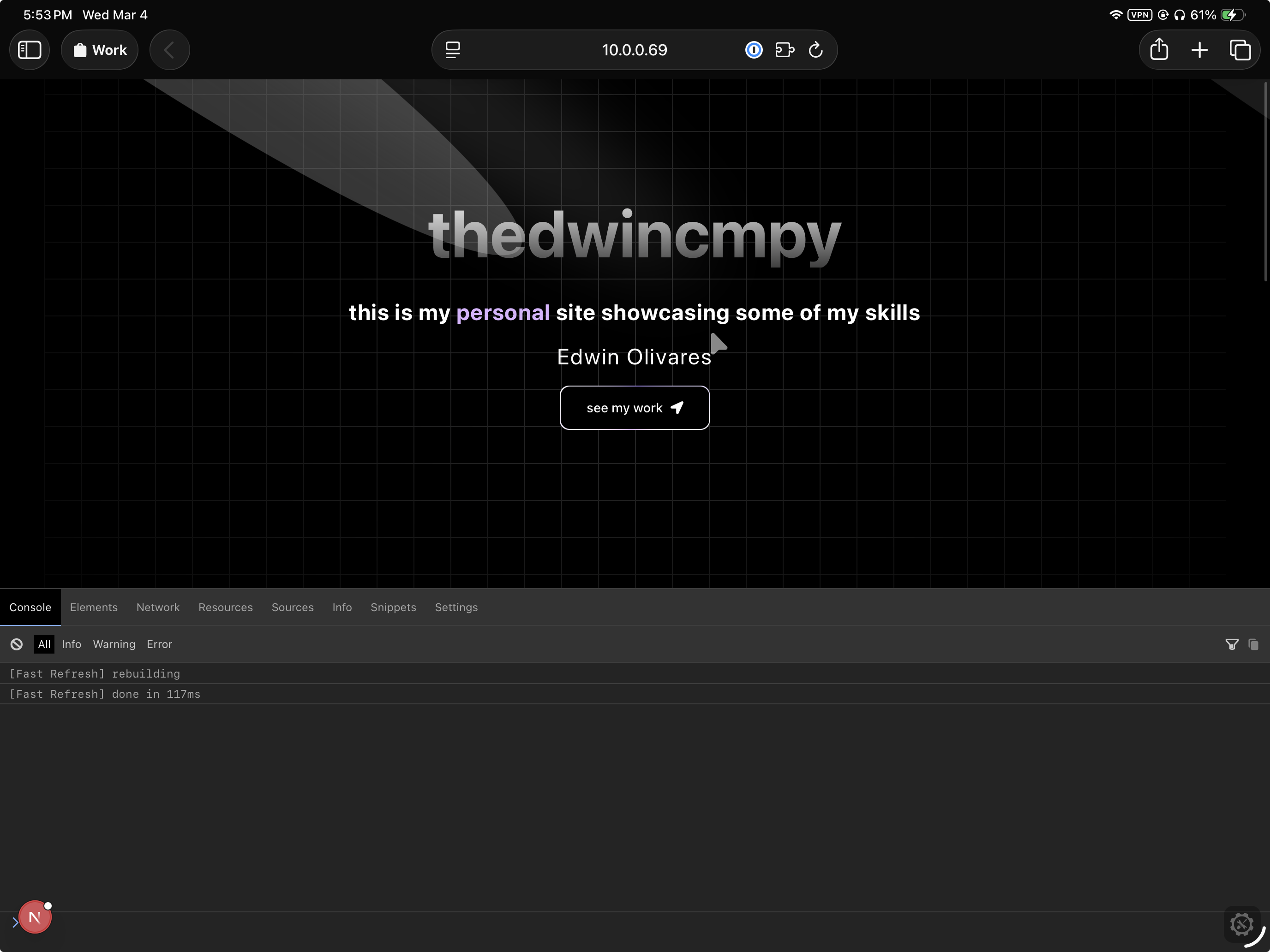
on the ipad i configured a vpn (tailscale) and a terminal emulator (termius). why did i choose these? they are easy to setup. on the mac mini i setup my dev environment with my configs files. the tmux and neovim combo are perfect for this setup— keyboard shortcuts will work through the ssh connection. mobile browsers lack developer tools, luckily the workaround is to add the eruda library.
developer tools
1.3 latency
for these test the tailscale vpn is active and i'm running a simple ping test, but since termius forces you to be in an ssh session by default (no local environment) i ran the test from mac mini to ipad. i would enable mosh but it forces neovim to fallback to a basic, colorless display mode and causes noticeably worse artifacting.
phone hotspot
PING 100.121.xxx.xxx (100.121.xxx.xxx): 56 data bytes
64 bytes from 100.121.xxx.xxx: icmp_seq=0 ttl=64 time=31.353 ms
64 bytes from 100.121.xxx.xxx: icmp_seq=1 ttl=64 time=237.210 ms
64 bytes from 100.121.xxx.xxx: icmp_seq=2 ttl=64 time=136.623 ms
64 bytes from 100.121.xxx.xxx: icmp_seq=3 ttl=64 time=53.247 ms
64 bytes from 100.121.xxx.xxx: icmp_seq=4 ttl=64 time=249.200 ms
64 bytes from 100.121.xxx.xxx: icmp_seq=5 ttl=64 time=278.450 ms
64 bytes from 100.121.xxx.xxx: icmp_seq=6 ttl=64 time=302.090 ms
64 bytes from 100.121.xxx.xxx: icmp_seq=7 ttl=64 time=214.300 ms
64 bytes from 100.121.xxx.xxx: icmp_seq=8 ttl=64 time=220.348 ms
64 bytes from 100.121.xxx.xxx: icmp_seq=9 ttl=64 time=146.850 ms

--- 100.121.xxx.xxx ping statistics ---
10 packets transmitted, 10 packets received, 0.0% packet loss
round-trip min/avg/max/stddev = 31.353/186.967/302.090/87.248 ms
home network (fiber)
PING 100.121.xxx.xxx (100.121.xxx.xxx): 56 data bytes
64 bytes from 100.121.xxx.xxx: icmp_seq=0 ttl=64 time=5.813 ms
64 bytes from 100.121.xxx.xxx: icmp_seq=1 ttl=64 time=6.711 ms
64 bytes from 100.121.xxx.xxx: icmp_seq=2 ttl=64 time=19.579 ms
64 bytes from 100.121.xxx.xxx: icmp_seq=3 ttl=64 time=39.273 ms
64 bytes from 100.121.xxx.xxx: icmp_seq=4 ttl=64 time=60.192 ms
64 bytes from 100.121.xxx.xxx: icmp_seq=5 ttl=64 time=75.061 ms
64 bytes from 100.121.xxx.xxx: icmp_seq=6 ttl=64 time=10.069 ms
64 bytes from 100.121.xxx.xxx: icmp_seq=7 ttl=64 time=59.317 ms
64 bytes from 100.121.xxx.xxx: icmp_seq=8 ttl=64 time=26.653 ms
64 bytes from 100.121.xxx.xxx: icmp_seq=9 ttl=64 time=37.927 ms

-- 100.121.xxx.xxx ping statistics ---
10 packets transmitted, 10 packets received, 0.0% packet loss
round-trip min/avg/max/stddev = 5.813/34.059/75.061/23.302 ms
1.4 closing thoughts
my ability to create code has not suffered since the migration. The navigation between apps and through the terminal feels snappy. I’m offloading all high-bandwidth and CPU-intensive tasks to a fiber-backed Mac Mini. I get desktop speeds over a hotspot with a fraction of the local battery drain.
ps: super frustrating that apple can make something like the macbook neo but continues to kneecap the ipad.